


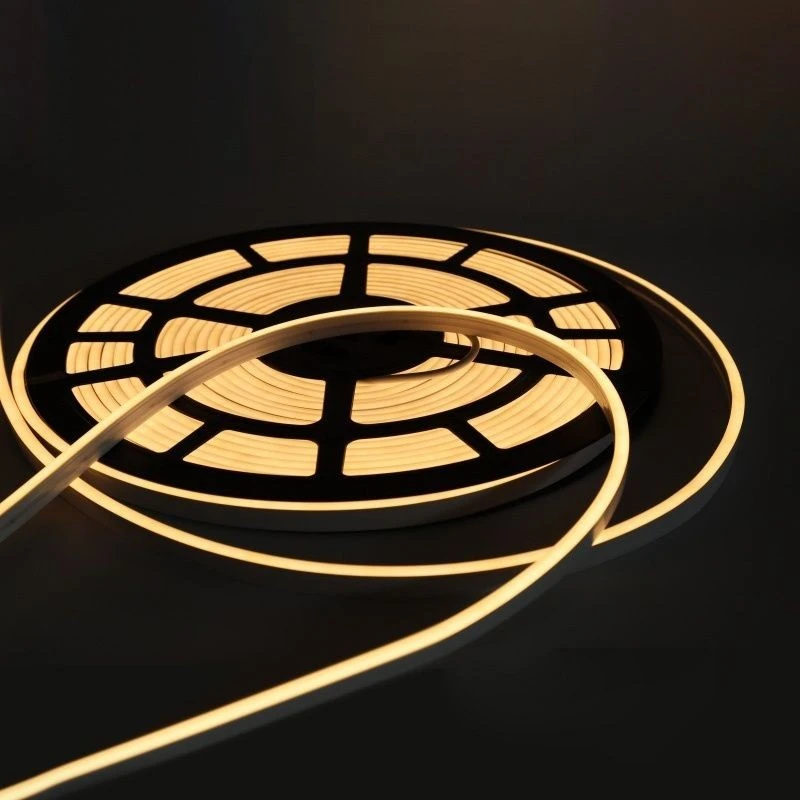
RGB neon strips are a popular choice for adding vibrant and customizable lighting to various spaces, from home decor to commercial displays. However, like any electronic product, they can sometimes encounter issues. As a supplier of RGB neon strips, I've seen and resolved numerous problems over the years. In this blog post, I'll share some common issues and how to troubleshoot them effectively.
1. Check the Power Supply
The first step in troubleshooting RGB neon strips is to examine the power supply. A faulty power source can prevent the strips from lighting up or cause inconsistent performance.
- Verify the Power Connection: Ensure that the power adapter is properly plugged into both the power outlet and the RGB neon strip controller. Sometimes, a loose connection can disrupt the power flow. Check for any visible signs of damage to the power cord, such as frayed wires or bent prongs. If you find any damage, replace the power cord immediately.
- Check the Voltage: RGB neon strips typically require a specific voltage to operate correctly. Most strips work with a 12V or 24V power supply. Use a multimeter to measure the voltage output of the power adapter. If the voltage is significantly different from the recommended value, the power adapter may be faulty and should be replaced. You can find compatible power supplies for our RGB Neon Strip on our website.
- Inspect the Fuse: Some power adapters have a built - in fuse to protect the device from overcurrent. If the fuse is blown, the power supply will not work. Locate the fuse on the power adapter and check if it is intact. If the fuse is blown, replace it with a new one of the same rating.
2. Examine the Controller
The controller is responsible for adjusting the color, brightness, and lighting effects of the RGB neon strips. A malfunctioning controller can lead to issues with the strip's performance.

- Test the Controller Buttons: Press each button on the controller to see if it responds. If a button is not working, it may be stuck or damaged. Try cleaning the buttons with a soft, dry cloth to remove any dirt or debris. If the problem persists, the controller may need to be replaced.
- Check the Wireless Connection: Many RGB neon strip controllers use wireless technology, such as Bluetooth or infrared, to communicate with the strips. Make sure that the controller is within the effective range of the strips and that there are no obstacles blocking the signal. If you are using a Bluetooth controller, ensure that your device (e.g., smartphone) is paired correctly with the controller.
- Reset the Controller: Sometimes, a simple reset can solve controller - related issues. Refer to the user manual of your controller to find the reset procedure. Usually, it involves pressing a combination of buttons for a certain period of time. After resetting, try to set up the controller again and see if the problem is resolved.
3. Look for Physical Damage
Physical damage to the RGB neon strips can also cause them to malfunction.
- Inspect the Strips for Cuts or Breaks: Carefully examine the entire length of the neon strips for any visible cuts, breaks, or signs of damage. Even a small cut in the strip can disrupt the electrical circuit and prevent the LEDs from lighting up. If you find a damaged section, you can try to repair it using a soldering iron and electrical tape. However, if the damage is extensive, it may be necessary to replace the affected part of the strip.
- Check the Connectors: The connectors between the RGB neon strips and the controller or power supply are crucial for proper electrical connection. Make sure that the connectors are securely plugged in and that there is no corrosion or dirt on the pins. If the connectors are loose or damaged, try re - plugging them or replace them with new ones.
4. Consider the Environment
The environment in which the RGB neon strips are installed can also affect their performance.
- Temperature and Humidity: Extreme temperatures and high humidity can damage the electronic components of the RGB neon strips. Avoid installing the strips in areas with excessive heat, cold, or moisture. If the strips are exposed to high humidity for a long time, they may develop condensation, which can cause short - circuits. In such cases, move the strips to a more suitable environment and allow them to dry completely before using them again.
- Electromagnetic Interference: Other electronic devices in the vicinity of the RGB neon strips can cause electromagnetic interference, which may result in flickering or inconsistent lighting. Try to keep the strips away from sources of electromagnetic interference, such as large motors, power transformers, or microwave ovens.
5. Compatibility Issues
Sometimes, compatibility issues between different components can lead to problems with the RGB neon strips.
- Controller and Strip Compatibility: Ensure that the controller you are using is compatible with the specific type of RGB neon strip. Different strips may have different control protocols, and using an incompatible controller can result in improper operation. Check the product specifications on our website to find the compatible controller for our RGB Neon Strip.
- Power Supply and Strip Compatibility: As mentioned earlier, make sure that the power supply has the correct voltage and current rating for the RGB neon strips. Using an under - powered or over - powered power supply can damage the strips and cause them to malfunction.
6. Other Types of Neon Strips
If you are experiencing issues with other types of neon strips, such as Single Color Neon Strip or RGBW Neon Strip, the troubleshooting steps are generally similar. However, there may be some differences in the control and power requirements. For single - color neon strips, the main issues are usually related to power supply and physical damage. For RGBW neon strips, in addition to the common issues, you may also encounter problems with the white channel, such as incorrect color mixing or inconsistent brightness.
Conclusion
Troubleshooting RGB neon strips when they don't work can be a systematic process. By following the steps outlined above, you can identify and resolve most common issues. However, if you are still unable to fix the problem after trying these methods, don't hesitate to contact us. As a professional RGB neon strip supplier, we have a team of experts who can provide you with further technical support and assistance.
If you are interested in purchasing RGB neon strips or have any questions about our products, we welcome you to contact us for procurement and negotiation. We offer high - quality products at competitive prices and excellent after - sales service.
References
- LED Lighting Handbook: A Comprehensive Guide to LED Technology and Applications
- Manufacturer's User Manuals for RGB Neon Strips and Controllers


