


Integrating a Pixel Neon Strip with a smart home system can transform your living space into a dynamic and personalized environment. As a Pixel Neon Strip supplier, I'm excited to share insights on how to achieve this seamless integration.
Understanding Pixel Neon Strips
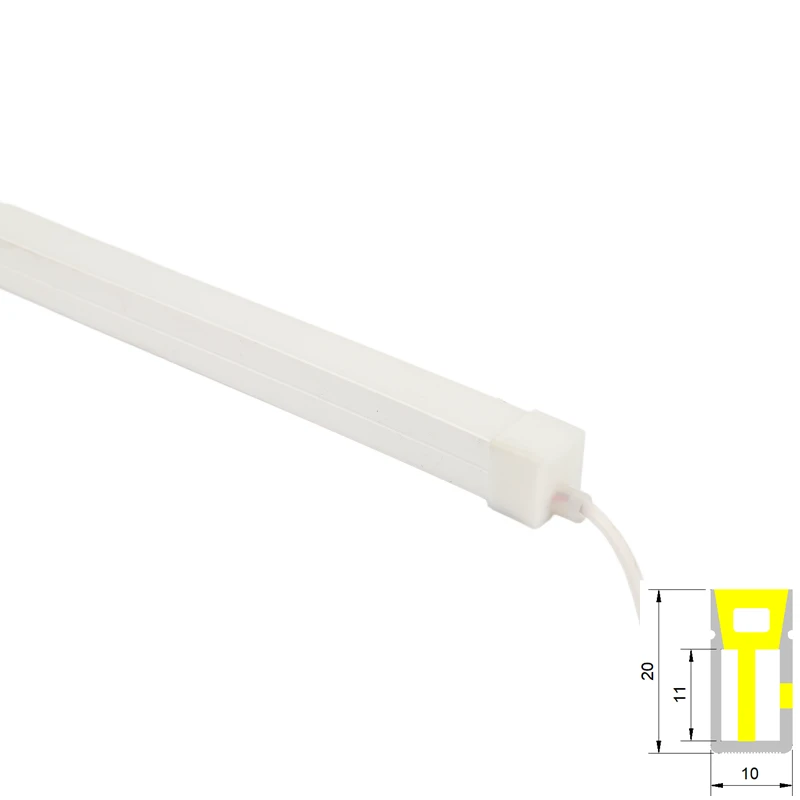
Pixel Neon Strips offer a high - level of customization compared to traditional lighting options. Each individual LED on the strip can be controlled independently, allowing for the creation of stunning lighting effects, animations, and color combinations. There are different types of neon strips available, such as Single Color Neon Strip and RGBW Neon Strip, but the Pixel Neon Strip takes it a step further with its pixel - level control.
Benefits of Integrating with a Smart Home System
- Convenience: With a smart home system, you can control your Pixel Neon Strips from anywhere using your smartphone, tablet, or voice commands. For example, you can turn on the lights on your way home or adjust the lighting while lying on the couch.
- Energy Efficiency: Smart home systems allow you to set schedules and timers for your Pixel Neon Strips. You can turn off the lights automatically when you leave the room or dim them during the day to save energy.
- Customization: Combine the pixel - level control of the Neon Strips with the flexibility of a smart home system. You can create different lighting scenes for various occasions, such as parties, movie nights, or relaxing evenings.
Choosing the Right Smart Home System
There are several popular smart home systems available in the market, each with its own features and compatibility.

- Amazon Alexa: Alexa is a widely used voice - controlled smart home system. It has a large ecosystem of compatible devices. To integrate your Pixel Neon Strips with Alexa, you need a smart controller that is Alexa - compatible. Once connected, you can use voice commands like "Alexa, turn on the neon lights" or "Alexa, set the neon lights to blue".
- Google Home: Google Home offers similar functionality to Alexa. It is known for its seamless integration with other Google services. You can control your Pixel Neon Strips using the Google Home app or voice commands. The setup process involves connecting the smart controller of the Neon Strips to the Google Home ecosystem.
- Apple HomeKit: If you are an Apple user, HomeKit provides a secure and easy - to - use smart home solution. To integrate your Pixel Neon Strips with HomeKit, you need a HomeKit - enabled smart controller. You can then control the lights using the Home app on your iPhone, iPad, or Apple Watch.
Steps to Integrate Pixel Neon Strips with a Smart Home System
- Select a Smart Controller: The first step is to choose a smart controller that is compatible with your Pixel Neon Strips and the chosen smart home system. Some controllers come with built - in Wi - Fi or Bluetooth connectivity, which allows for easy integration.
- Install the Pixel Neon Strips: Mount the Pixel Neon Strips in the desired location. Make sure to follow the installation instructions carefully. Usually, the strips can be cut to the required length at specific intervals and connected using connectors provided in the kit.
- Connect the Smart Controller: Connect the smart controller to the Pixel Neon Strips according to the manufacturer's instructions. This may involve wiring the controller to the power supply and the strips.
- Set up the Smart Home System: For Alexa, open the Alexa app, go to the "Devices" section, and click "Add Device". Follow the on - screen instructions to discover and add your smart controller. For Google Home, open the Google Home app, tap the "+" icon, and select "Set up device". For HomeKit, use the Home app to scan the HomeKit code on the smart controller.
- Configure Lighting Scenes: Once the integration is complete, you can start creating lighting scenes. In the smart home app, you can adjust the color, brightness, and animation of the Pixel Neon Strips. You can save these settings as different scenes for easy access later.
Troubleshooting Common Issues
- Connectivity Problems: If you are having trouble connecting the smart controller to the smart home system, check the Wi - Fi or Bluetooth settings. Make sure the controller is within the range of the router or the paired device. You may also need to restart the controller and the smart home hub.
- Lighting Not Working Properly: If the Pixel Neon Strips are not lighting up correctly, check the wiring connections. Make sure the power supply is working and that the strips are properly connected to the smart controller.
- Compatibility Issues: In some cases, there may be compatibility issues between the smart controller and the smart home system. Check the product specifications to ensure that they are compatible. You may need to update the firmware of the controller or the smart home system.
Real - World Applications
- Home Decor: Use Pixel Neon Strips to add a touch of style to your living room, bedroom, or kitchen. You can create a glowing accent wall or highlight architectural features.
- Entertainment: For movie nights or parties, create dynamic lighting effects that sync with the music or the on - screen action. You can set the lights to flash, pulse, or change colors according to the mood.
- Safety and Security: Set up motion - activated lighting using your smart home system. When someone enters a room, the Pixel Neon Strips can automatically turn on, providing better visibility and enhancing safety.
Future Trends in Smart Lighting Integration
The future of integrating Pixel Neon Strips with smart home systems looks promising.
- Artificial Intelligence and Machine Learning: Smart home systems may use AI and ML algorithms to learn your lighting preferences over time. They can then automatically adjust the lighting based on your daily routines and environmental conditions.
- Integration with Other Smart Devices: Expect to see deeper integration between Pixel Neon Strips and other smart devices, such as smart speakers, thermostats, and security cameras. For example, the lights can change color based on the temperature or the security status of your home.
- Enhanced User Interfaces: The user interfaces of smart home apps are likely to become more intuitive and user - friendly. You may be able to create complex lighting scenes with just a few taps on your smartphone.
Conclusion
Integrating a Pixel Neon Strip with a smart home system offers a world of possibilities for enhancing your living space. As a Pixel Neon Strip supplier, I encourage you to explore the potential of this technology. Whether you are looking for convenience, energy efficiency, or creative lighting solutions, the combination of Pixel Neon Strips and a smart home system can meet your needs.
If you are interested in purchasing Pixel Neon Strips or have any questions about integration, feel free to reach out. We are here to assist you in creating the perfect lighting experience for your smart home.
References
- Smart Home Technology: An Overview. Journal of Home Automation Research, 2022.
- Lighting Control in Smart Homes: Current Trends and Future Directions. International Journal of Lighting Science, 2023.
- The Impact of Smart Lighting on Energy Consumption in Residential Buildings. Energy Efficiency Review, 2021.


